Sorry, trouble retrieving order receipt.
How to Activate?
| Product Name | Installation Guide | |
|---|---|---|
| The Plus Addons for Elementor | Read Now | Watch Video |
| The Plus Blocks for Gutenberg | Read Now | Watch Video |
| Nexter WordPress Theme | Read Now | Watch Video |
| UiChemy – Figma to Elementor Convertor | Read Now | Watch Video |
| WDesignKit — Elementor, Gutenberg Templates & More | – | – |
Installing The Plus Addons for Elementor

Download Plugin Zip
Click on the download button to get the latest zip of The Plus Addons for Elementor.
Upload Plugin Zip
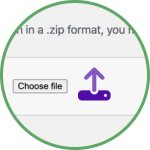
Upload this Zip to Plugin → Add New → Upload File → Choose File and select the downloaded zip file. (Please ensure the Free version is installed. Both are required to use all its features.)
Activate with License Key
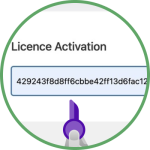
Copy the long license serial key from our store and paste it in The Plus Settings → Activate → Paste the Key and Hit Activate. And you’re done! You have successfully installed & activated the Plugin.
Still in doubt?
Installing Nexter Blocks
Download Plugin Zip
Click on the download button to get the latest zip of Nexter Blocks
Upload Plugin Zip
Upload this Zip to Plugin → Add New → Upload File → Choose File and select the downloaded zip file.
(Please ensure the Free version is installed. Both are required to use all its features.)
Activate with License Key
Copy the long license serial key from our store and paste it in Nexter Settings → Activate → Paste the Key and Hit Activate. And you’re done! You have successfully installed & activated the Plugin.
Installing Nexter Extension
All PRO users get access to our Nexter Extension & Nexter Theme. Which is optional to use, Nexter Blocks is compatible with most WordPress Themes.
Download Extension Zip
Click on the download button to get the latest zip of the Nexter Extension Plugin
Upload Plugin Zip
Upload this Zip to Plugin → Add New → Upload File → Choose File and select the downloaded zip file.
(Please ensure the Free version of Nexter extension is installed. Both are required to use all its features.)
Activate with License Key
Copy the long license serial key from our store and paste it in paste it in Appearance -> Nexter Settings -> Activate -> Paste the Key and Hit Activate. And you’re done! You have successfully installed & activated the premium version of Nexter WordPress Theme
Still in doubt?
Installing WDesignkit
Download Plugin Zip
Click on the download button to get the latest zip of WDesignkit
Upload Plugin Zip
Upload this Zip to Plugin → Add New → Upload File → Choose File and select the downloaded zip file. (Please ensure the Free version is installed. Both are required to use all its features.)
Activate with License Key
Copy the long license serial key from our store and paste it in WDesignkit Settings → Activate → Paste the Key and Hit Activate. And you’re done! You have successfully installed & activated the Plugin.
Still in doubt?
Recommended Hosting
Our plugins & theme is optimized to run on most WordPress optimized hosting. But here are some of the best we recommend.

Hostinger
Starting at $2.99/mo

Elementor Cloud
Starting at $9.99/mo

InstaWP
Starting at $9/mo

WP Engine
Starting at $20/mo

Kinsta
Starting at $24/mo

Rocket.Net
Starting at $30/mo
Disclosure: These are affiliate links.
Would you be interested if we launch our top-notch WordPress hosting? Let Us Know
Our Products